 QuantBot
QuantBot
QuantBot
봇이 사용자의 계정에 접근하여 매매를 대신 수행할 수 있도록
안전한 전용 연결 통로(API)를 생성하는 과정입니다.
Create a secure dedicated connection (API) that allows
the bot to execute trades automatically on your behalf.
API 권한 설정 시 [Withdraw (출금)] 권한은 절대 체크하지 마세요!
퀀트 봇은 오직 주문(Order) 생성과 포지션 읽기/쓰기 권한만 필요로 합니다.
DO NOT check the [Withdraw] permission when setting up your API!
The bot only requires Read/Write access for placing Orders and modifying Positions.
작업의 편의를 위해 스마트폰보다는 PC(컴퓨터) 환경을 권장합니다.
바이빗 홈페이지 로그인 후, 우측 상단 프로필 메뉴에 마우스를 올리고 'API Management'를 클릭합니다. 우측 상단의 'Create New Key'를 누르고 'System-generated API Keys'를 선택해 주세요.
We recommend using a PC (Computer) for this process.
Log in to Bybit, hover over your profile menu, and click 'API Management'. Click 'Create New Key' and select 'System-generated API Keys'.
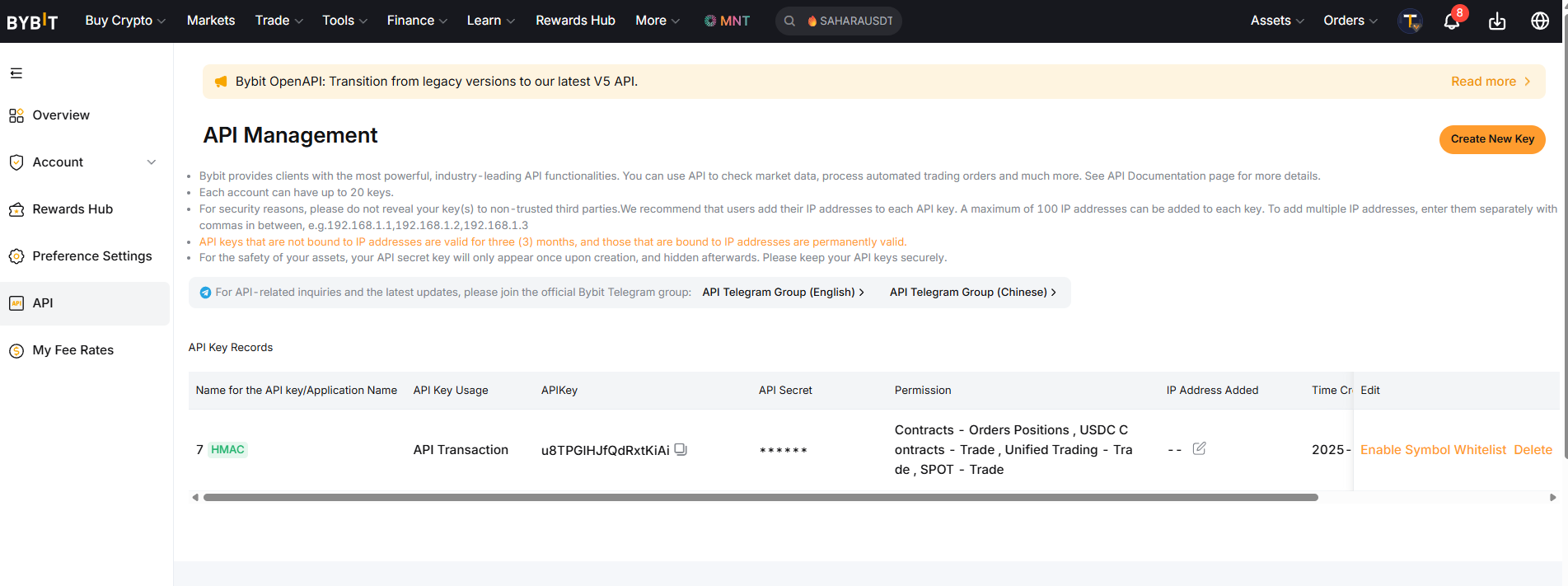
API Key Usage 항목에서 'API Transaction'을 선택하고 API 이름(예: QuantBot)을 임의로 입력합니다.
아래쪽 API Key Permissions 항목에서는 반드시 'Read-Write'에 체크한 뒤, 그 아래에 나타나는 [Contract(선물), Derivatives API V3, Trade, Spot(현물)] 항목들을 모두 체크해 줍니다.
🚨 거듭 강조: 'Withdraw(출금)' 항목이 체크 해제되어 있는지 마지막으로 다시 한번 확인하세요!
Select 'API Transaction' and enter any name for the API (e.g., QuantBot).
Under API Key Permissions, check 'Read-Write', then check all the following boxes: [Contract, Derivatives API V3, Trade, Spot].
🚨 Double Check: Make absolutely sure that the 'Withdraw' option is unchecked!
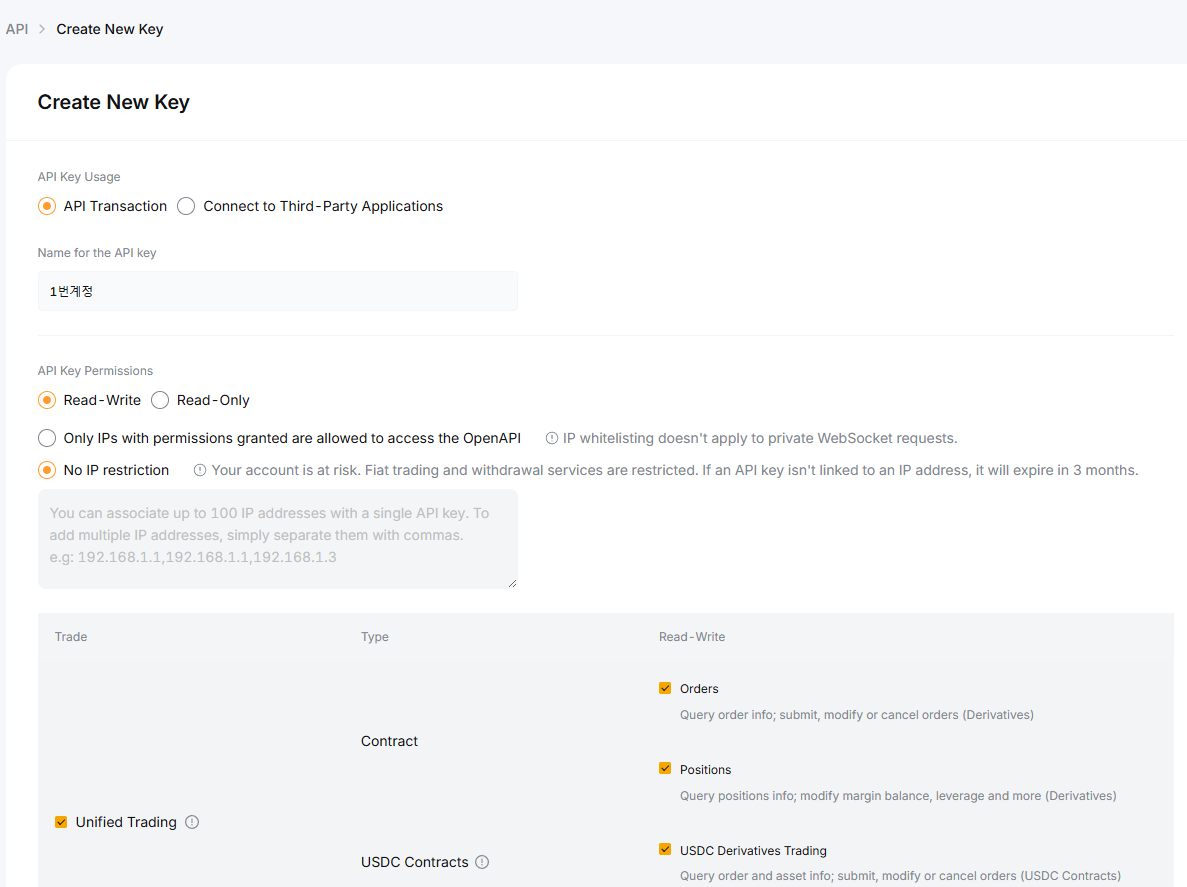
구글 OTP 번호를 입력하고 나면 'API Key'와 'API Secret' 두 가지 문자열이 화면에 나타납니다.
이 창을 닫으면 Secret 키는 보안상 영원히 다시 볼 수 없습니다. 창을 닫기 전에 두 개의 키를 메모장 등에 복사하여 안전하게 저장해 두세요. (나중에 봇에 입력해야 합니다.)
After entering your 2FA code, you will see your 'API Key' and 'API Secret'.
The Secret key will be permanently hidden once you close this window. Copy and save both keys in a secure notepad before clicking confirm. (You will need them to run the bot.)
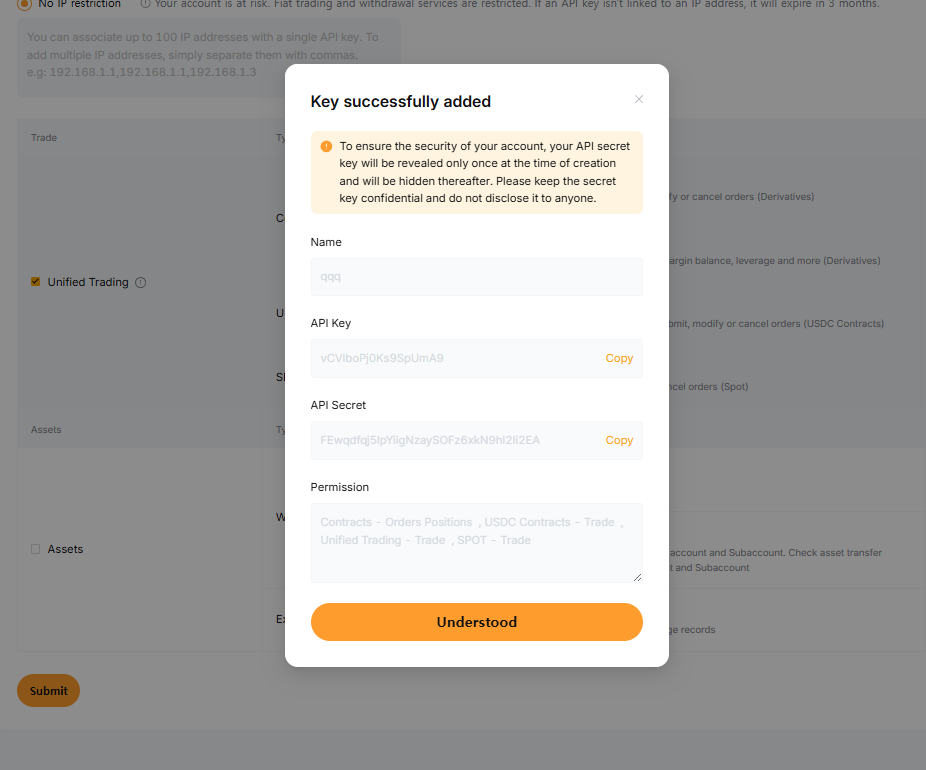
PC 환경에서 바이낸스 웹사이트 우측 상단 프로필 아이콘 클릭 후 'API Management'로 이동합니다.
'Create API'를 클릭하고 'System generated'를 선택하여 다음으로 넘어갑니다. 임의의 라벨 이름(예: QuantBot)을 입력하세요.
On your PC, click your profile icon on Binance and go to 'API Management'.
Click 'Create API' and select 'System generated'. Enter a label name for the API (e.g., QuantBot).
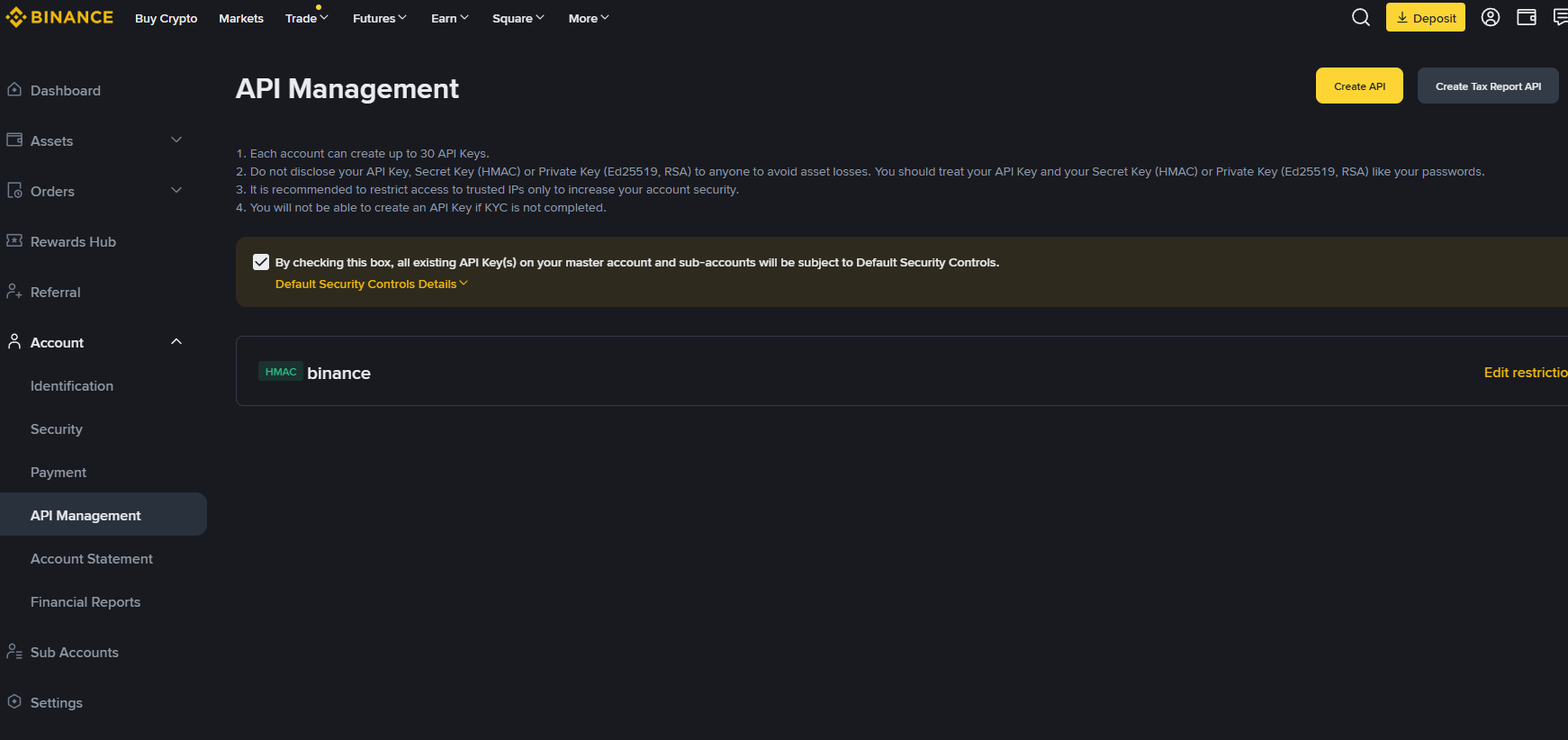
생성된 API 화면 우측 상단의 'Edit restrictions(수정)'를 누릅니다.
체크박스 중 'Enable Futures(선물 거래)'와 'Enable Spot & Margin Trading(현물 거래)'에만 추가로 체크한 뒤 Save(저장) 버튼을 누릅니다.
🚨 Enable Withdrawals(출금 활성화)는 절대 체크하시면 안 됩니다.
Click 'Edit restrictions' on the top right of your newly created API block.
Check only the boxes for 'Enable Futures' and 'Enable Spot & Margin Trading', then click Save.
🚨 Never check 'Enable Withdrawals'.
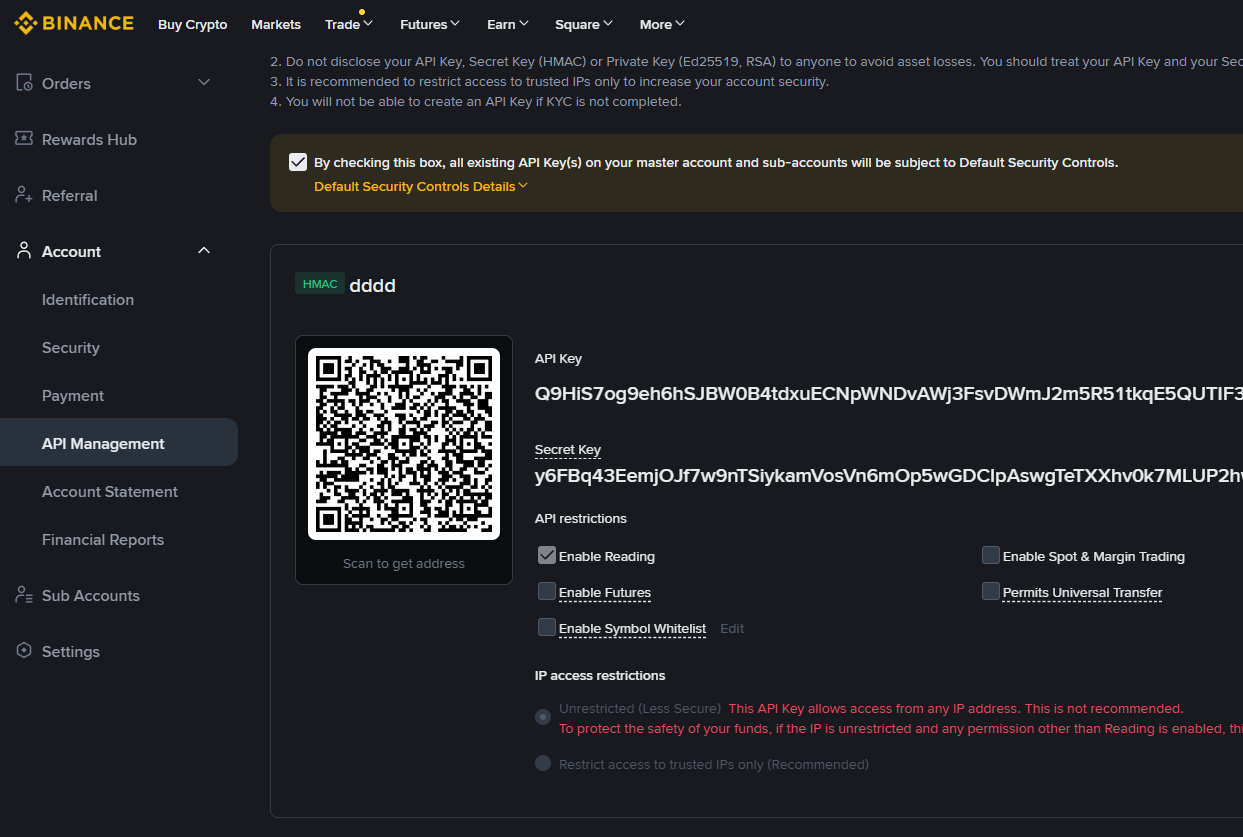
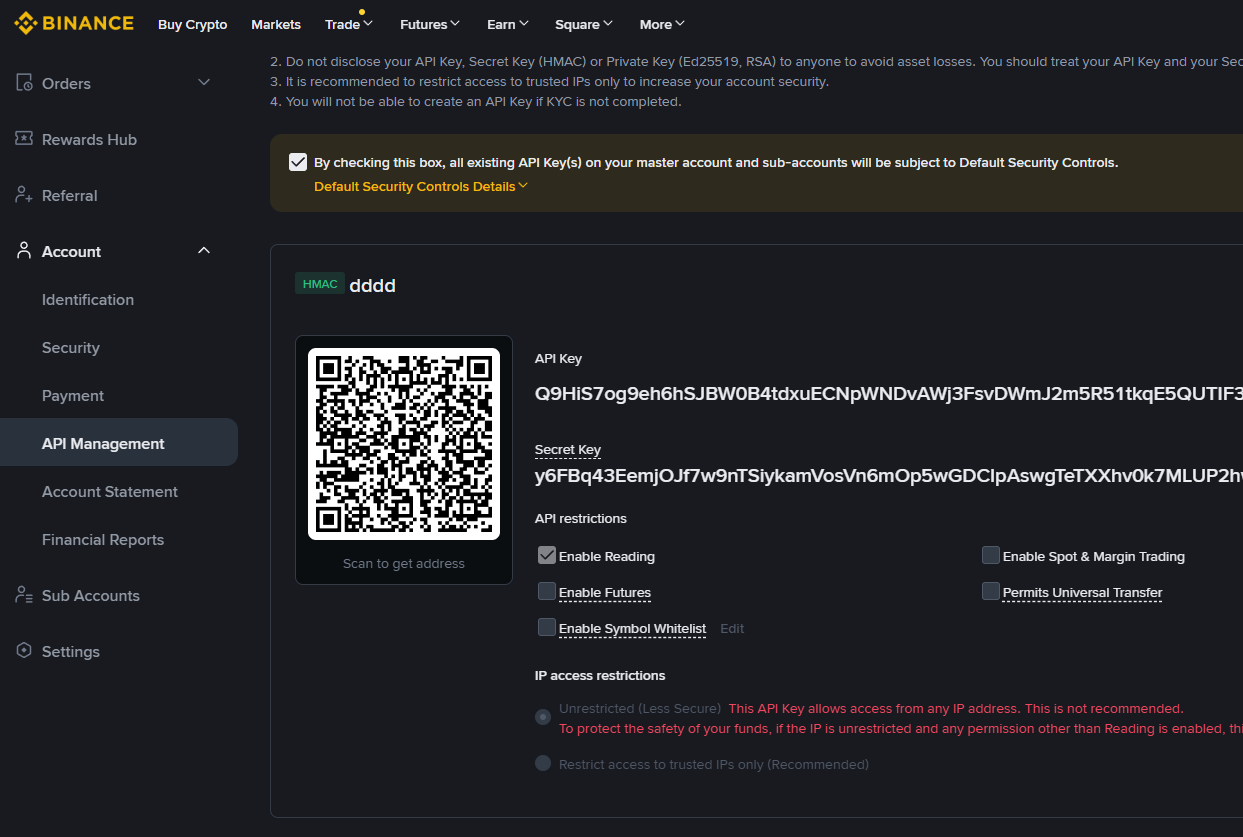
저장을 완료하면 API Key와 Secret Key가 표시됩니다. 보안 정책상 Secret Key는 한 번만 보여지므로, 창을 벗어나기 전에 이 두 값을 반드시 메모장 등 안전한 곳에 복사해 두십시오.
After saving, your API Key and Secret Key will be displayed. The Secret Key is shown only once for security reasons. Copy and store both keys in a safe place before leaving the page.
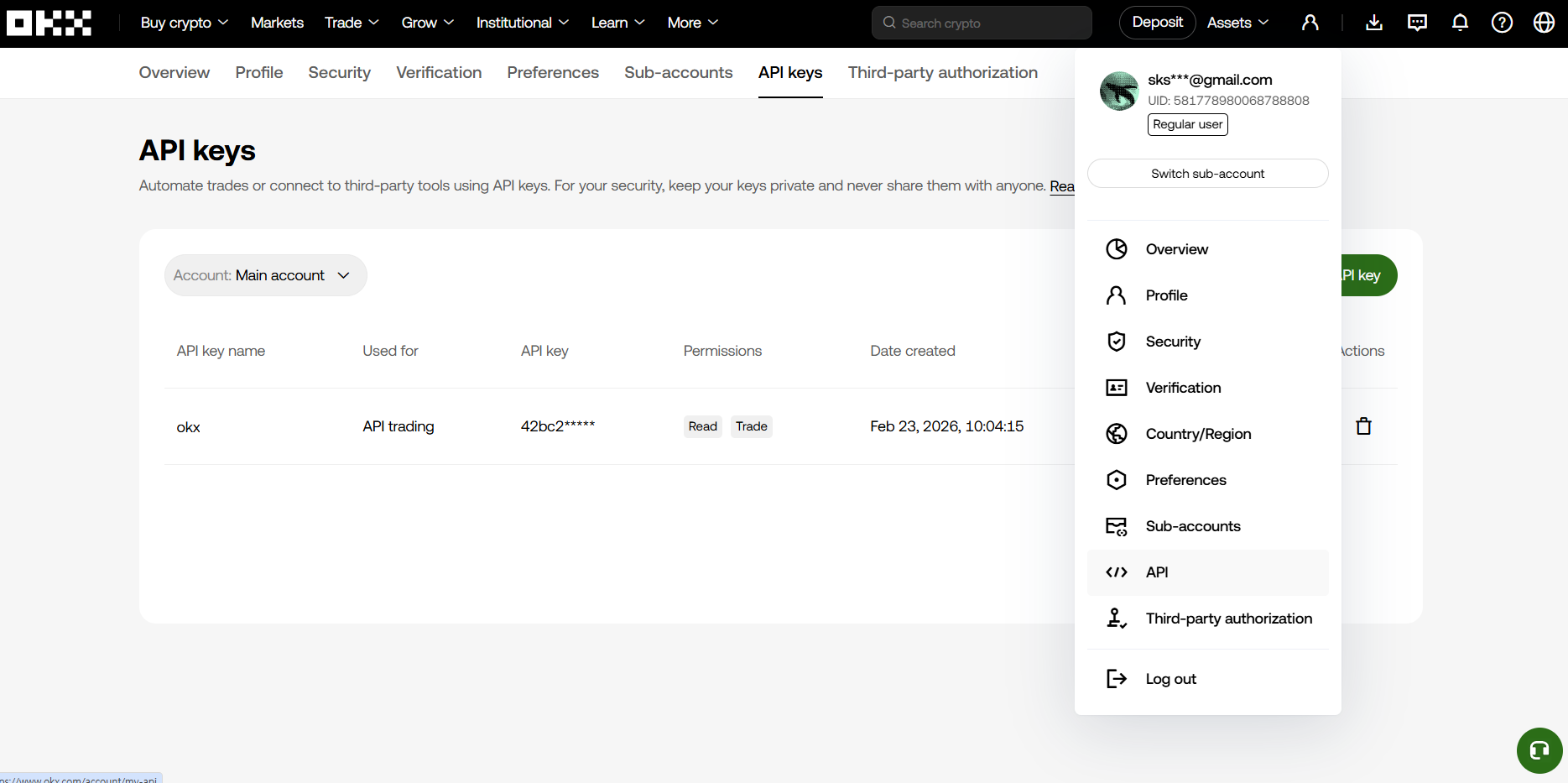
PC로 OKX 웹사이트에 로그인 후, 우측 상단 프로필에서 'API' 메뉴를 클릭합니다.
'Create V5 API key' 버튼을 누르고, 용도(Purpose)를 Trading으로 선택해 줍니다.
Log in to OKX on your PC, click 'API' under your profile, and select 'Create V5 API key'. Set the Purpose to Trading.
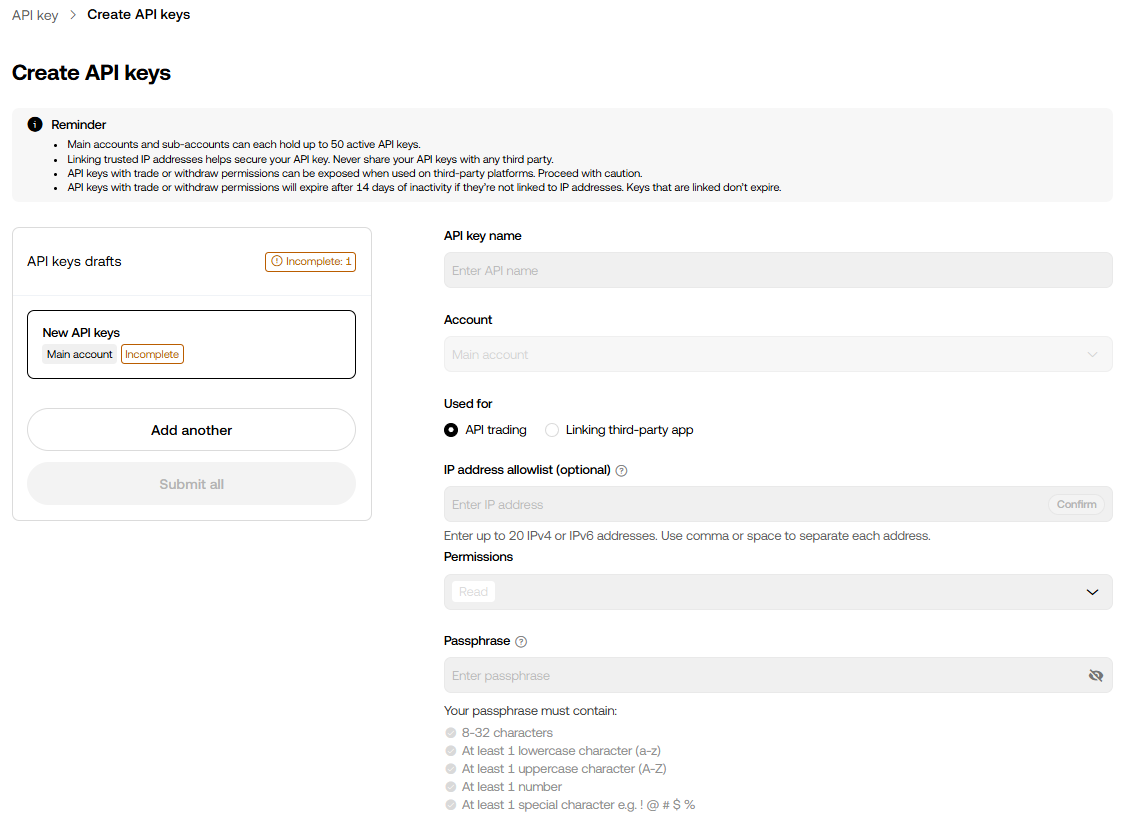
API 이름(App name)을 기재하고, Permissions(권한) 항목에서 기본으로 체크된 'Read'에 추가로 'Trade(매매)' 항목을 반드시 체크합니다. (Withdraw 출금은 체크 금지).
그 아래에 본인이 원하는 'Passphrase(API 전용 비밀번호)'를 입력합니다. 이 비밀번호는 나중에 봇에 입력해야 하니 꼭 기억해 두세요.
Enter an App name. Under Permissions, check 'Trade' along with the default 'Read' (Do not check Withdraw).
Create an API Passphrase (a unique password for this API) below. You must remember this passphrase to use the bot.
본인 인증(OTP, 이메일 등)을 마치면 API Key와 Secret Key가 발급됩니다.
앞서 만든 Passphrase와 함께 이 두 가지 키를 메모장에 잘 저장해 두시기 바랍니다.
After security verification, your API Key and Secret Key will be generated. Save these keys securely along with the Passphrase you created.
비트겟 PC 홈페이지 접속 후 우측 상단 프로필에서 'API Keys'를 클릭합니다.
우측의 'Create new API Key'를 누르고, 시스템 생성 방식인 'System-generated API key'를 선택합니다.
Go to your profile on the Bitget website and click 'API Keys'.
Click 'Create new API Key' and then select 'System-generated API key'.
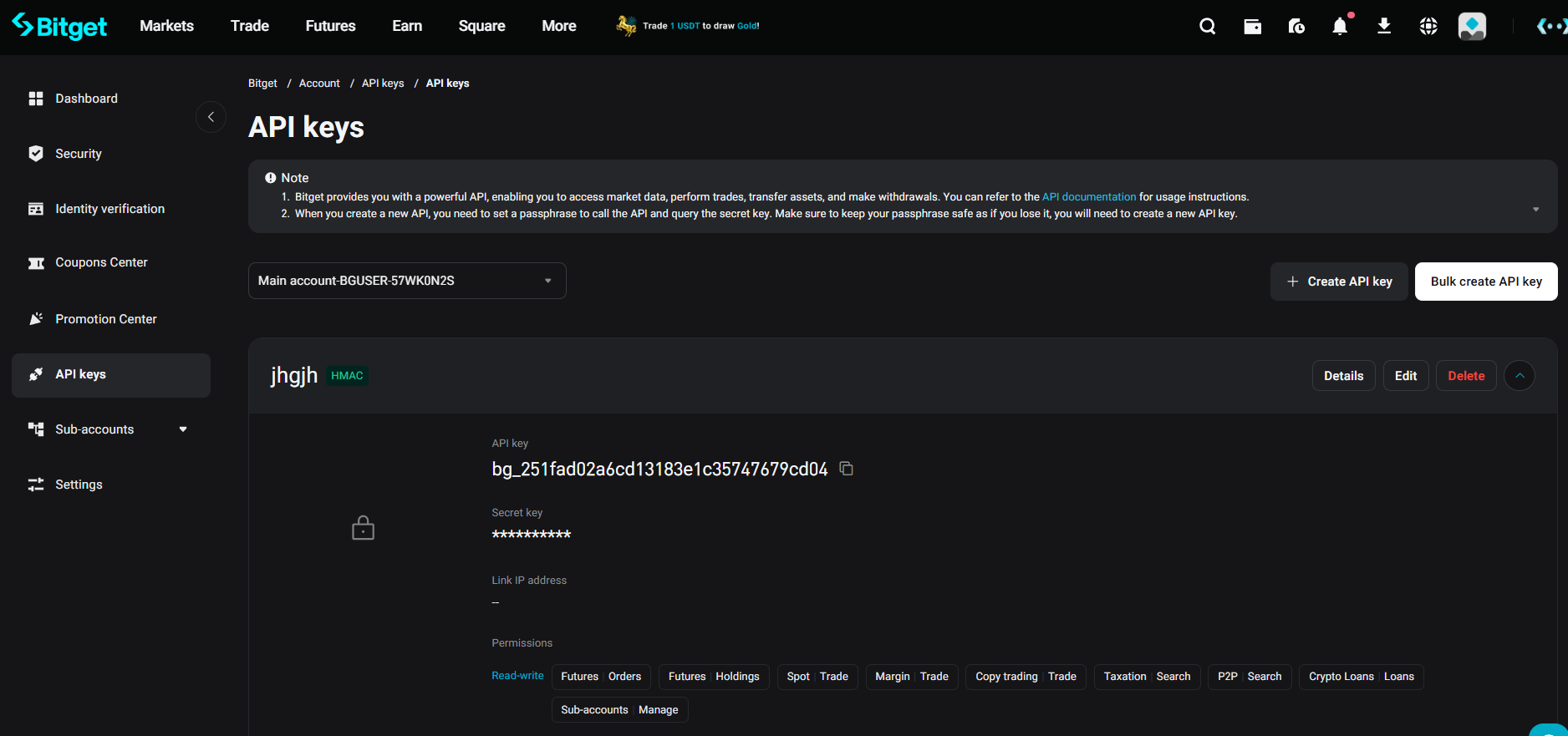
적당한 노트를 적은 뒤, 자신만의 Passphrase(API 비밀번호)를 설정합니다. (영문 대소문자, 숫자 포함 권장).
하단 Permission setting에서 거래를 위해 'Orders', 'Holdings', 'Futures trade', 'Spot trade' 항목들을 모두 체크해 줍니다. (Withdraw 제외)
Enter a note and set up your API Passphrase.
Under Permission setting, check the boxes for 'Orders', 'Holdings', 'Futures trade', and 'Spot trade'. (Exclude Withdraw)
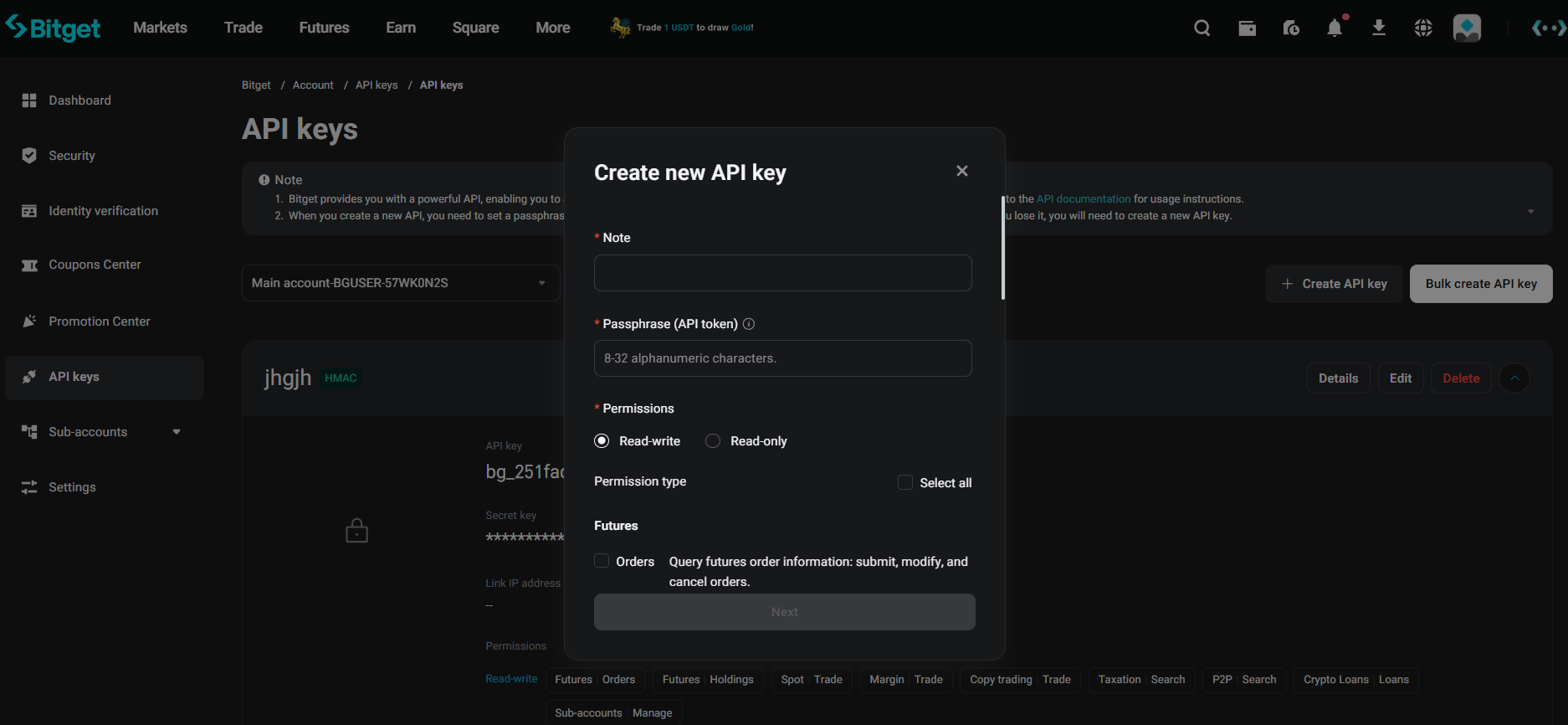
저장을 누르고 보안 인증을 통과하면 최종적으로 API Key와 Secret Key가 부여됩니다.
이 두 가지 키 값과 설정했던 Passphrase를 메모장에 모두 복사하여 안전하게 보관하세요.
After clicking save and passing verification, your API Key and Secret Key will be issued. Copy both keys and the Passphrase to a secure notepad.